


EPUB reader for iPhone and iPad
Freadly is a free EPUB reader for iPhone and iPad: it opens your EPUB and FB2 books and shows them one word at a time, at the pace you choose. The books stay on your device, and reading them needs no internet.
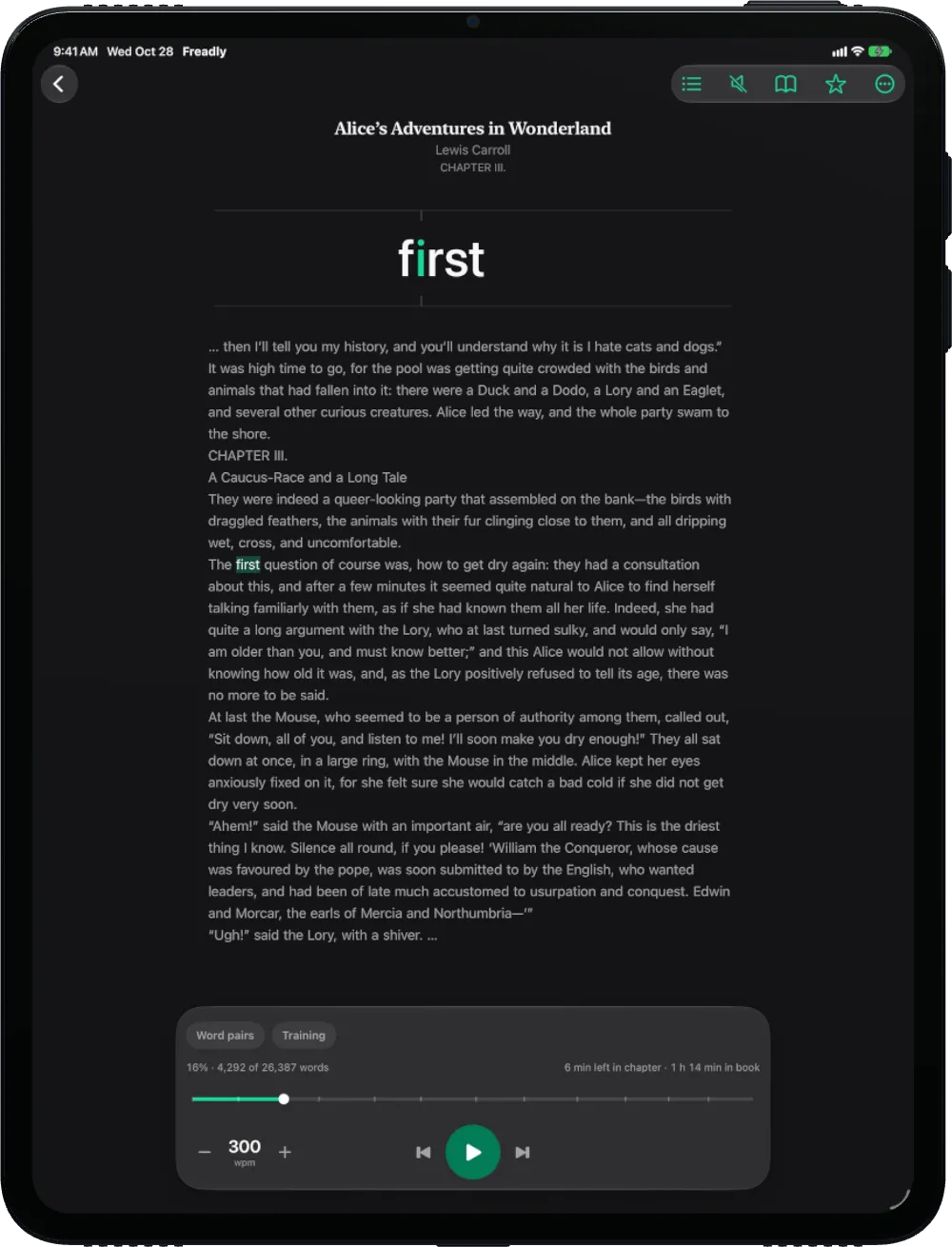
What this EPUB reader for iPhone does with your book
One word at a time, or the whole page
In Speed mode the book comes one word at a time, each word placed so its focus letter lands on the same point, so your eyes stay still. Pages shows the same book as ordinary pages. One tap switches between them, and a pause shows the page around the word.
Your pace, 100 to 1000 words a minute
The pace starts at 300 and moves in steps of 25. A short calibration test finds your own usual pace.
Any format
EPUB, FB2, PDF, DOCX, HTML, TXT and Markdown, from Files, Mail or a messenger.
Books in a tap
Share a file to Freadly, pick it with + in the Library, or drag it in on iPad. Free classics wait in the Market.
Progress you can see
The share of the book and the words read, the time left in the chapter and in the book, and chapter marks on the progress bar. Every book opens where you stopped.
iPhone and iPad together
With Pro, books, the place you stopped, quotes and stats follow you between your iPhone and iPad through iCloud.
- EPUB
- FB2
- DOCX
- HTML
- TXT
- Markdown
What it opens, and what it does not
Freadly opens EPUB, FB2, PDF, DOCX, HTML, TXT and Markdown files. When you add a book, it keeps a clean text copy in your library: page numbers, running headers, tables of contents and footnote marks are taken out, the chapters stay. Your original file stays where it was.
It reads the text of a book. Pictures, tables and the publisher’s layout are not shown, so a comic, a cookbook or a scanned PDF with no text layer is not for Freadly.
Books locked with DRM cannot be opened: Kindle, Apple Books and NOOK books, and Adobe DRM files (.acsm). Freadly says when a file is locked and does not try to break the protection. A DRM-free EPUB, FB2 or PDF from a shop works.
More on formats, text cleaning and free libraries: Read your own EPUB and FB2 books, plus free libraries.
How to open an EPUB file on iPhone or iPad
- Get Freadly from the App Store. It works on iPhone and iPad with iOS 26 or iPadOS 26.
- In the Library tap + › From Files… and pick your .epub file. Or open the file in Files, Mail or a messenger and choose Share › Freadly. On iPad you can also drag the file into the window.
- The book opens where you left it. Start reading, and set the pace with − and +.
Without Freadly
iPhone and iPad open DRM-free EPUB files in Apple Books, as pages. Freadly reads the same file one word at a time, at a pace you set and can train, and keeps your stats and quotes.
Questions
Is Freadly free on iPhone and iPad?
Yes. Getting it, reading your own books and the free classics in the Market cost nothing. There are no ads and nothing to sign up for. Some extras are part of Freadly Pro.
Can Freadly open Kindle or Apple Books books?
No. Those books are locked with DRM, and so are Adobe DRM files (.acsm). Freadly opens DRM-free EPUB, FB2, PDF, DOCX, HTML, TXT and Markdown files.
Does it work offline?
Yes, for reading: your books are kept on your iPhone or iPad, and reading them needs no connection. The Market, cover and title lookups and iCloud sync need the internet.
Will I see the pictures and formatting of my EPUB?
No. Freadly shows the text of the book, one word at a time or as plain pages. Pictures, tables and the publisher’s layout are left out.
Which iPhone and iPad does it run on?
Any iPhone or iPad with iOS 26 or iPadOS 26 and later.